
Our First Baby
Responsive Website
Mobile Application
Our First baby – Case Description
Our First Baby s is an app and responsive website catered to expecting and first time parents . The typical user is between 17-35 years old. Our First Baby is free for all users. The platform allows users to discover “How To”, Daily tips and articles, and vaccine information for baby’s from the 0 – 2 months old to 15-18 months old.
The Problem
Currently there is an abundance of magazines and apps that offer tips, but none of them have access to a community of people along with tips and vaccine data.
The Goal
Design a scalable tool to help people learn about being 1st time parents.
My Role
Lead UX designer, UX researcher, and Interaction Designer. Designing a solution from conception to delivery.
My Responsibilities
User Research
Wire Frames
Mockups
User Testing
Visual Design
Research Summary
We conducted user research and received feedback from users that we incorporated into user personas. For example, our user persona, Jill Jones, is a 34-year old HR Manager who enjoys working out, traveling, and cooking. The research revealed that Jill was frustrated because there were no real apps with communities specifically for expecting parents. Jill would like to have an app that would have videos for how to do things based on categories and a way to keep track of vaccines needed for her new baby. Since Jill loves to cook, she wanted the ability to see tips on how to prepare organic baby food.
Digital Wireframes
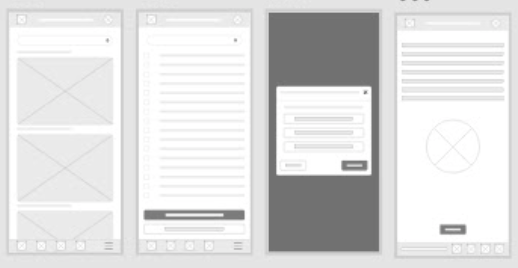
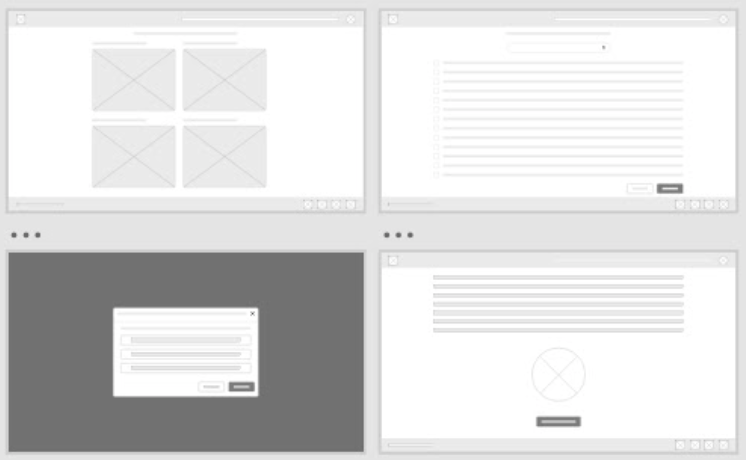
Here’s how we put our users’ needs first. The process below begins with our initial ideas of wireframes, then moves to mockups, and finally to the high-fidelity prototype.
In this simple version, you can see how we approached solving the user’s needs. For the app, we have the header that includes a place for the app logo, page title, and profile. The body is clearly defined based on cards for images that includes a title for each card. For list pages, we have a place for checkboxes, text, and a place for actions that can be taken with the selected list item. Lastly, we have a pattern for how modals should be designed. They are designed with a title, content area, and actions area. The responsive website is similar. However, the title is removed from the header and the menu bar is in the top left corner to follow the pattern of most responsive websites. The footer includes social media icons whereas the app includes action buttons in the footer.
Mockups
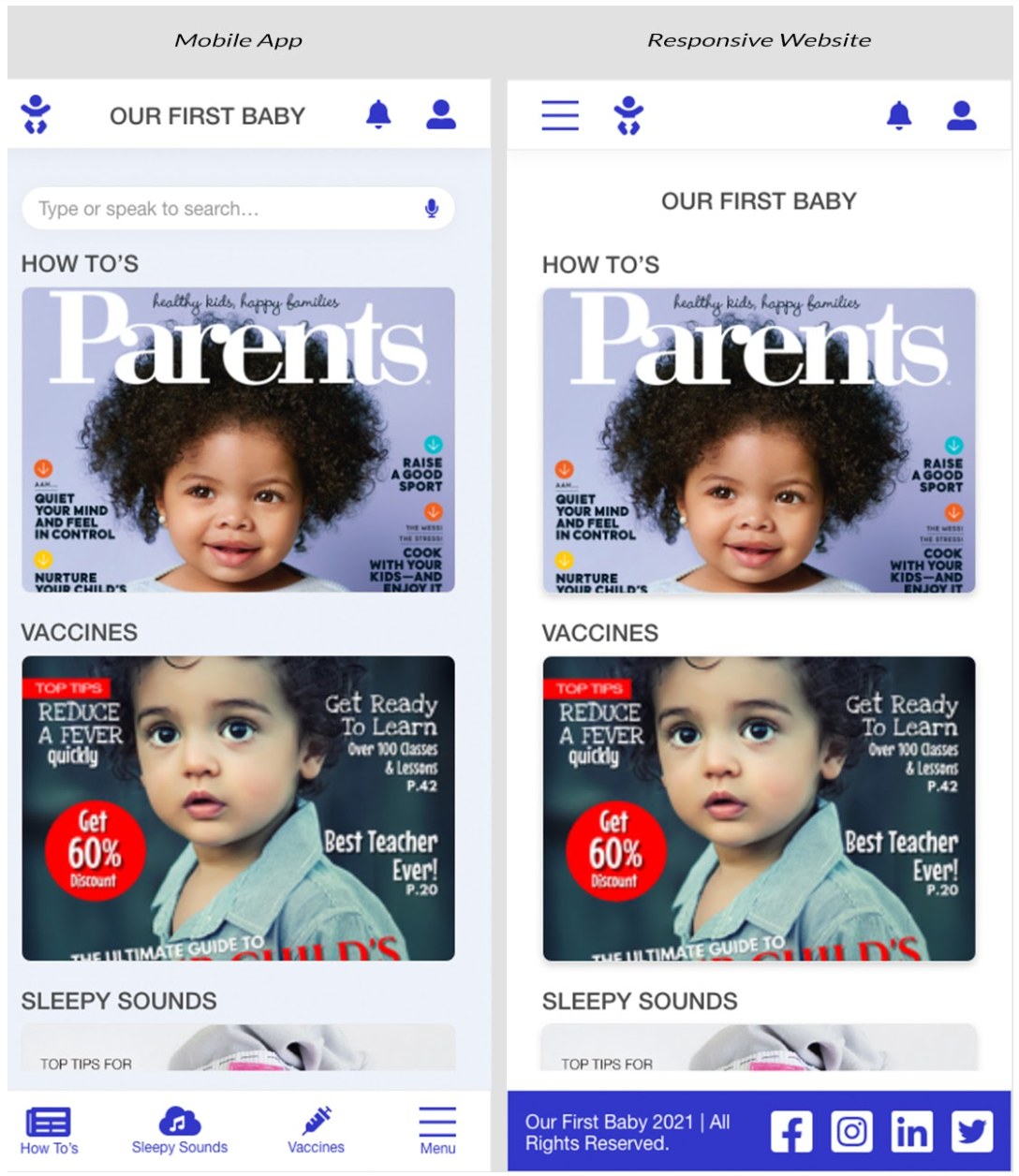
Now the design really begins to take shape: actual text is used, colors are applied, and images are added. This mockup shows a visual that gives a better idea of the final design.
High-fidelity prototype
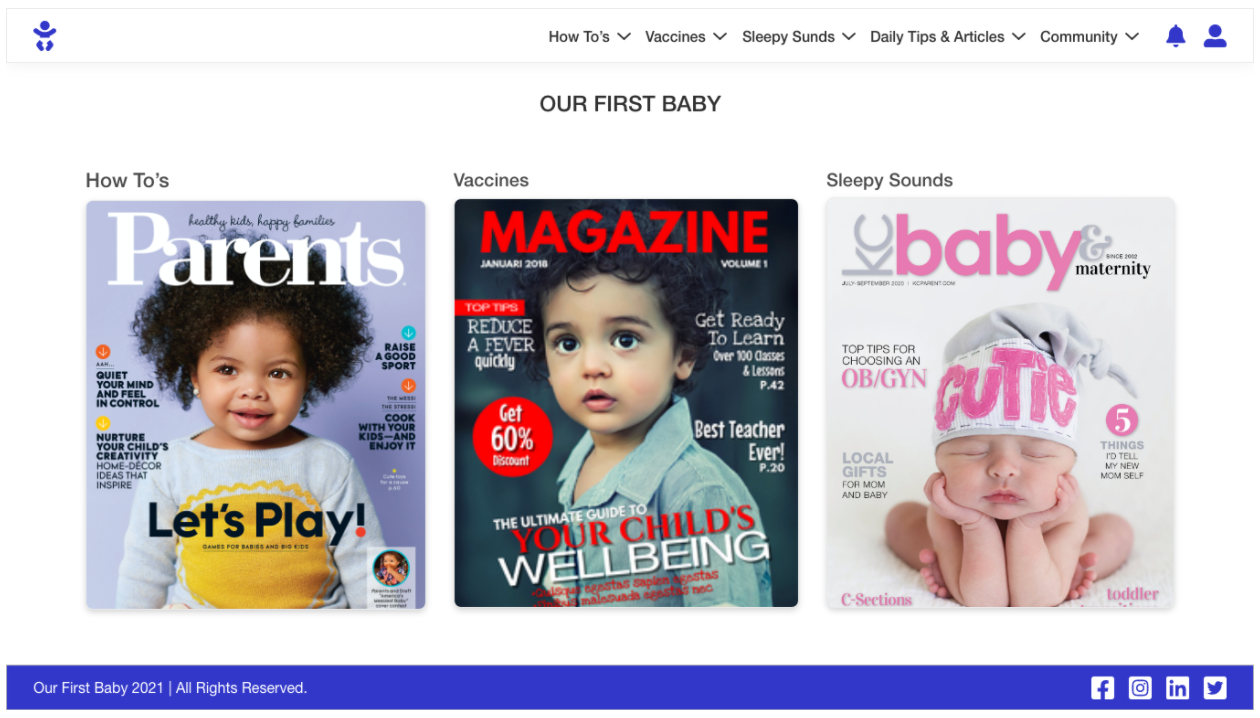
The design is fully developed and gives a complete picture of the completed design. It addresses the user’s needs for a simple, yet engaging and uncluttered design.
Accessibility considerations
To ensure that our app was accessible, we included AA WCAG 2.0 standards. We added the correct color contrast, typography, iconography with labels, and header level tags to assist with screen reader technologies. We also included voice commands to help those with visual impairments. Overall, we wanted a great experience for all users.
Takeaways
What I learned
From user research, we learned that there were some pain points for users. The two biggest issues were Daily articles and tips were not as popular to have on the homepage. And, users wanted to sync the upcoming vaccines to their calendars. We solved these issues by adding “Daily Articles & Tips” to the main navigation menu and created an area for alerts which would show activity for daily notifications. We also added a modal that would allow you to sync vaccine data to the top 3 calendars (Outlook, Gmail, and iCloud).
Next Steps
First
Wait until the app is out for at least 3 months before performing another user testing session.
Second
Improve on adding more functionality around real-time community feedback.
Third
Continue to add more accessibility into the
application by interviewing users that use assistive technologies.