
Community Theaters
Responsive Web App
Community Theaters – Case Description
Community Theaters is a locally owned chain of movie theaters . The typical user is between 17-65 years old and most are couples or parents. Community Theaters are affordable for all movie lovers. The site allows users to purchase movie tickets and reserve their desired seat locations.
The Problem
Currently, the site only gives its users the ability to purchase tickets for a specific time and day. But, there is no way to reserve a seat.
The Goal
Design a responsive website that allow users to order movie tickets and reserve seat locations within independently owned community theaters.
My Role
Lead UX designer, UX researcher, and Interaction Designer. Designing a solution from conception to delivery.
My Responsibilities
User Research
Wire Frames
Mockups
User Testing
Visual Design
Research Summary
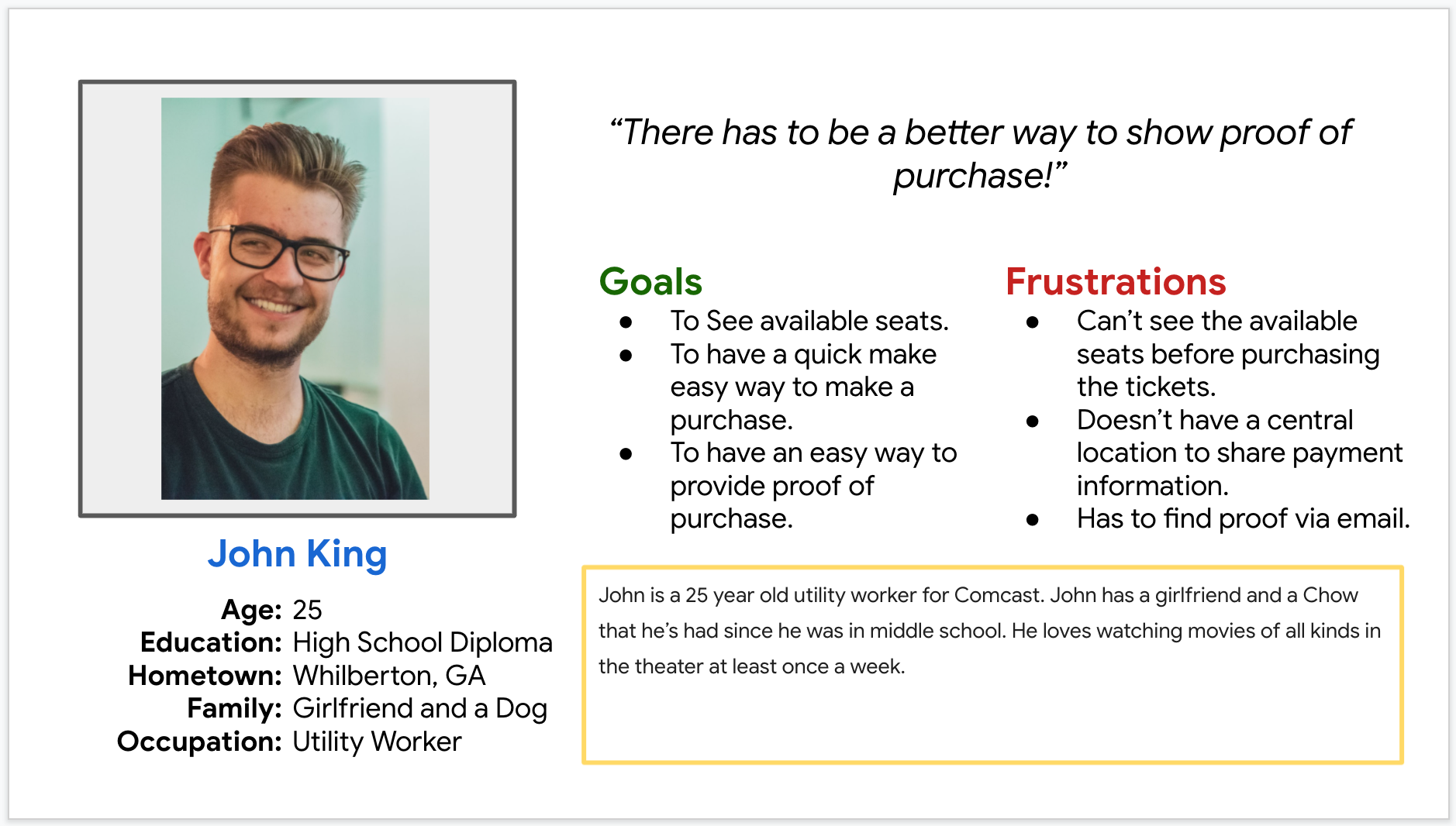
We conducted user research and received feedback from users that we incorporated into user personas. For example, our user persona, John is a 25 year old utility worker for Comcast. John has a girlfriend and a Chow that he’s had since he was in middle school. He loves watching movies of all kinds in the theater at least once a week. John would like to see improvements to movie theater websites, like seat reservation functionality. Since John watches movies for pleasure, he would also like to see better organization once she enters the theater room by having someone or something to direct people to their specific seats.
Persona
Digital Wireframes
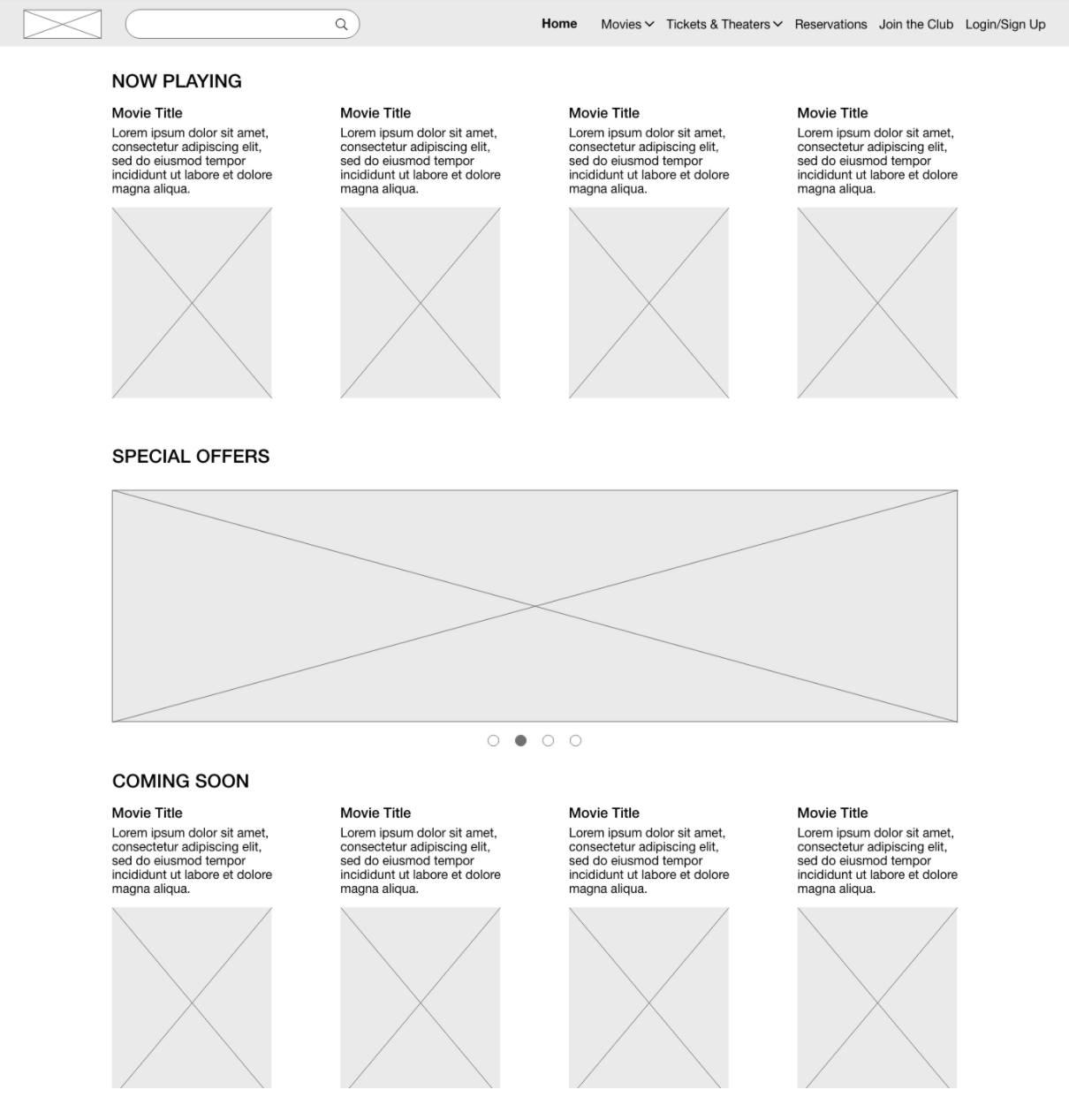
Here’s how we put our users’ needs first. The process below begins with our initial ideas of wireframes, then moves to mockups, and finally to the high-fidelity prototype.
In this simple version, you can see how we approached solving the user’s needs. The headings are clearly listed and separated by categories, Home, Movies, Tickets & Theaters, Reservations, Join the Club, and Login/Sign Up. There are landmarks listed to show where things such as the movies that are currently playing, upcoming movies, and special offers. There is a place for a carousel which will display special offers, which gives the user an opportunity to browse for a more enjoyable user experience.
Digital Wireframes
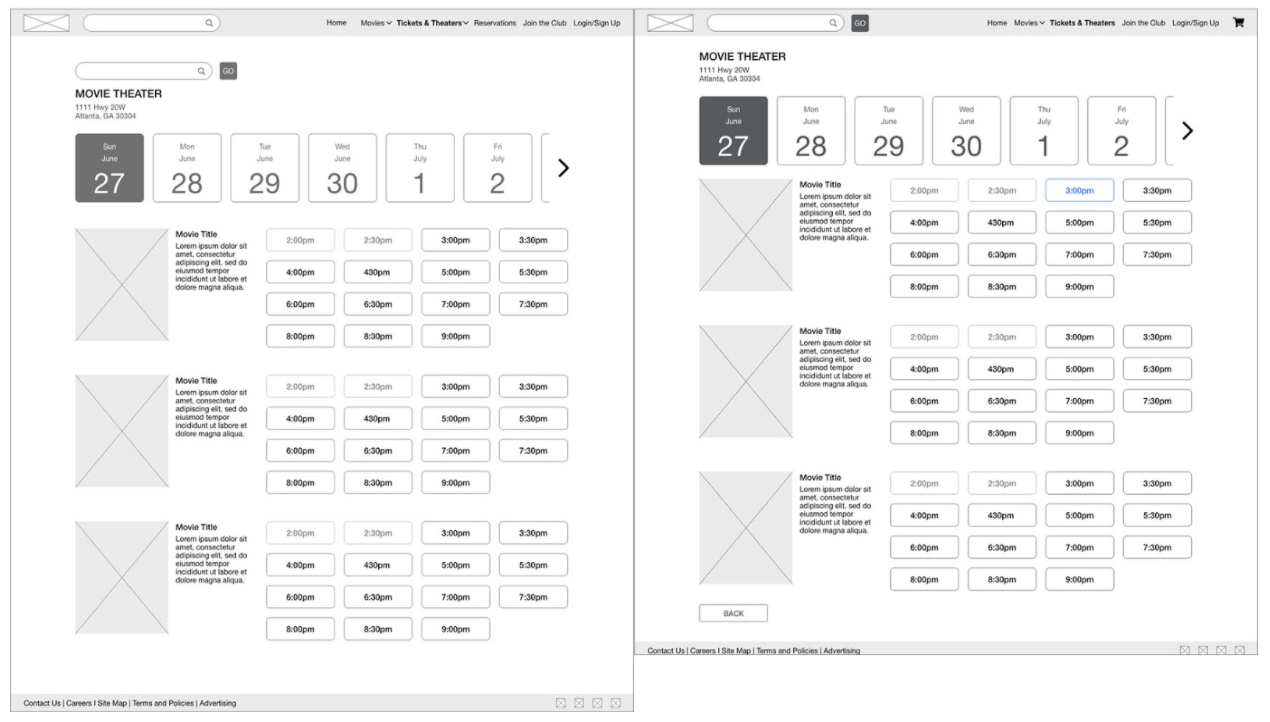
Users were confused with the multiple options for search. Users also needed a way to go back to the previous page.
Revised wireframes after low-fidelity prototype usability testing: In the revised version, you see the progression of the design based on insights identified from usability test feedback. Design additions include a back button and shopping cart icon. We also removed the second page level search for one multi-purpose search which will allow for the ability to enter your location information to find the closest theater or to search for individual movies that are playing.
Mockups
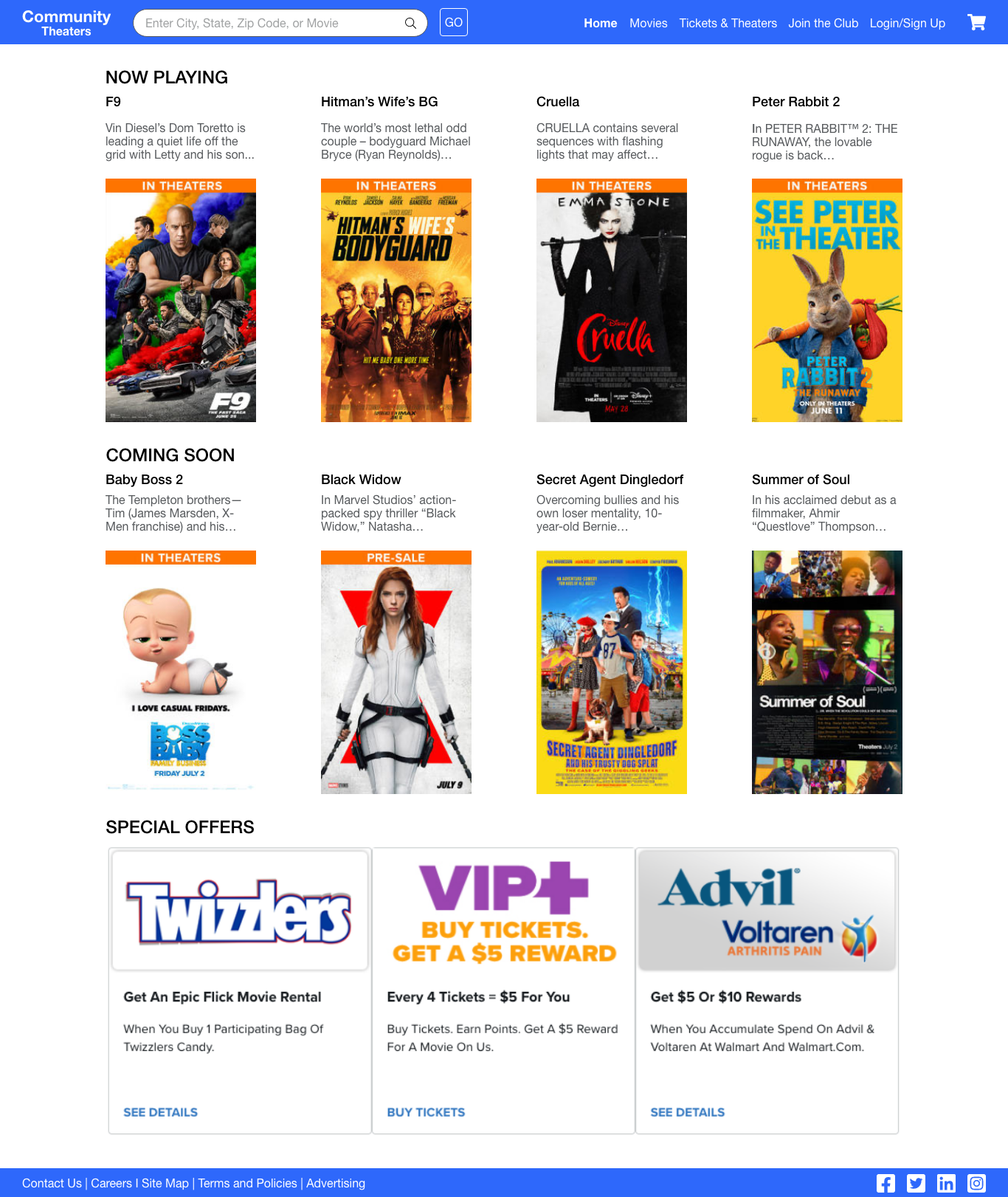
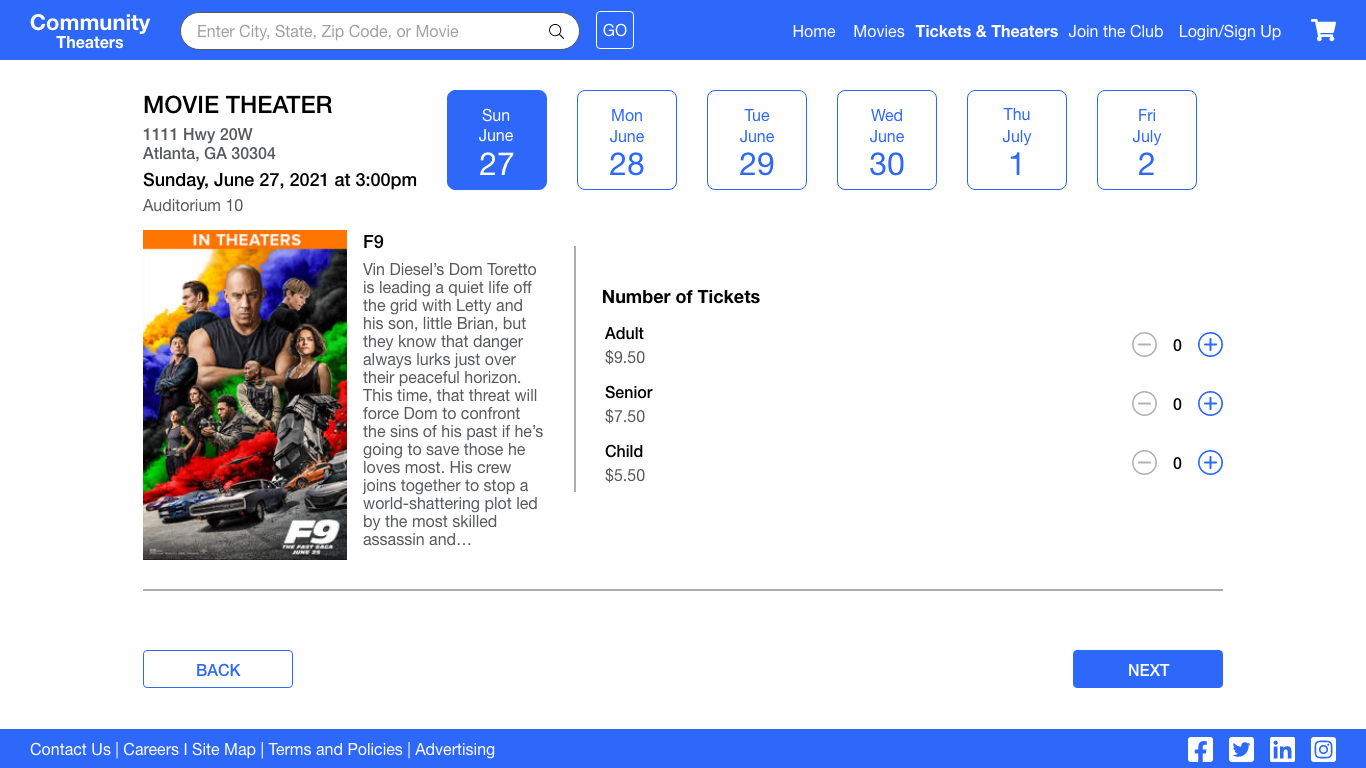
Now the design really begins to take shape: actual text is used, colors are applied, and images are added. This mockup shows a visual that gives a better idea of the final design.
High-fidelity prototype
The final hi-fi prototype includes the workflow to purchase and reserve seating.
Accessibility considerations
Typography
The main body font style throughout the app is 1 rem (16px) nothing falls below a 12px font size.
Color
All colors are based on passing AA Accessibility standards.
Micro Animations
All animations are based on 300 milliseconds, which passes accessibility guidelines.
Takeaways
What I learned
From user research, we learned that there were some pain points for users. The two biggest issues were not having a clear way to go backwards within the purchase and seat reservation process and not having a shopping cart icon at the top right corner of the page to view what you have purchased. We solved this issue by adding back buttons on the desktop site and back button icons on the mobile version of the site. We also added the shopping cart icon to the top right of the page within the header. This made the purchase and reservation experience more enjoyable, which helped meet the user’s needs.
Next Steps
First
Wait until the app is out for at least 3 months before performing another user testing session.
Second
Expand on the ways to inform theaters of ticket purchases once an individual is at the location.
Third
Continue to add more accessibility into the
application by interviewing users that use assistive technologies.